Route every app
its own way
True split tunneling for macOS: choose which Mac apps use your VPN, which connect directly, and which are blocked — with any VPN you already have.
Works alongside the VPN you already use
See it in action
A 53-second tour: pick a lane per app and watch traffic follow the rules.
Your traffic, sorted
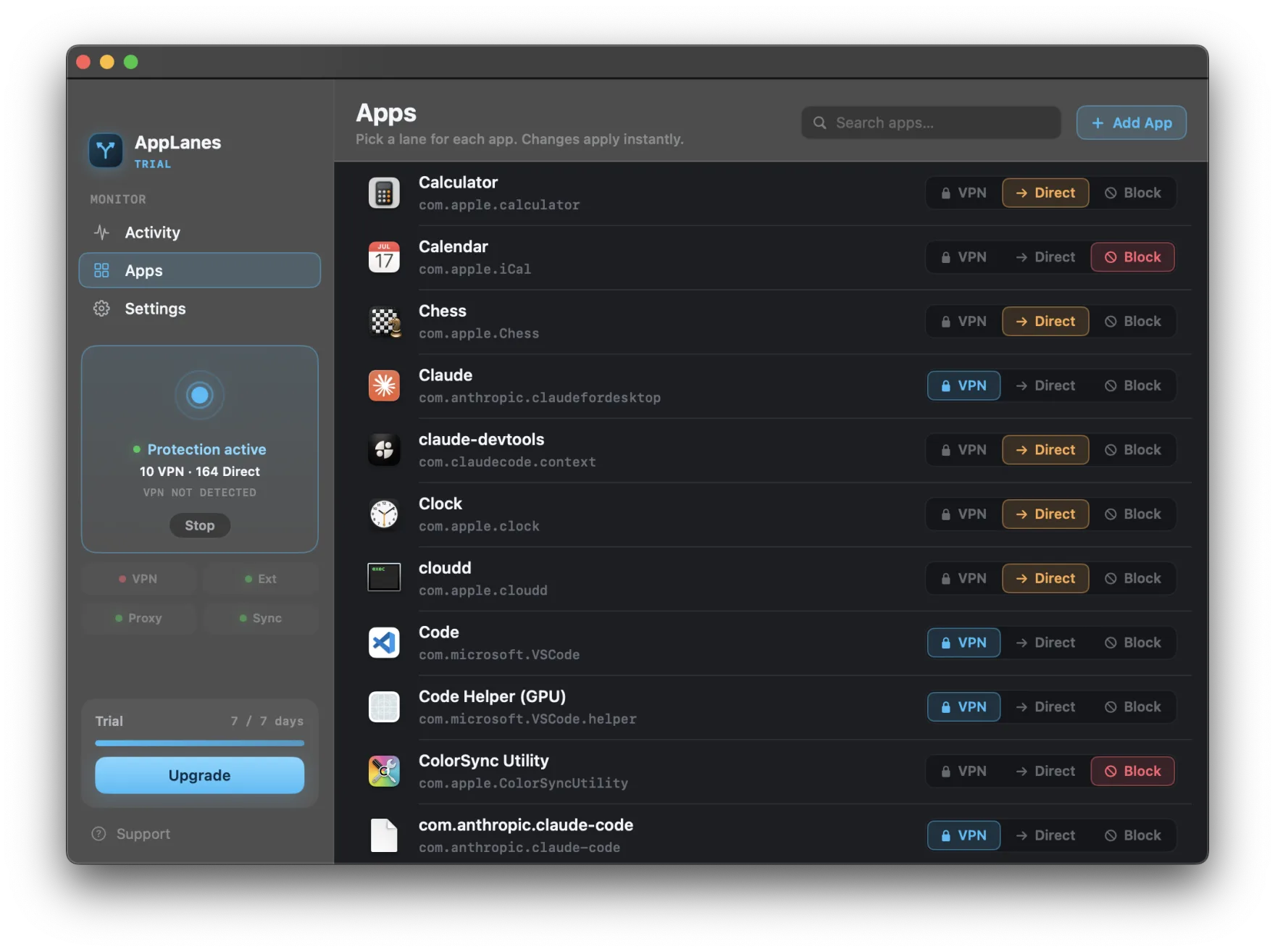
Three lanes — VPN, Direct, Block — and full visibility into all of them.
Through the tunnel you already run.
Straight to the internet, full speed.
Nowhere at all. Silence, enforced.
How split tunneling on macOS works
A native network extension, not another VPN.
A VPN normally claims your whole Mac: every app's traffic enters the tunnel, whether that helps or hurts. Split tunneling breaks the monopoly. AppLanes installs a macOS network extension — a transparent proxy that macOS hands each new connection to, along with the identity of the app that opened it. Your rule for that app decides the route: into the VPN tunnel, straight out over Wi‑Fi or Ethernet, or nowhere at all.
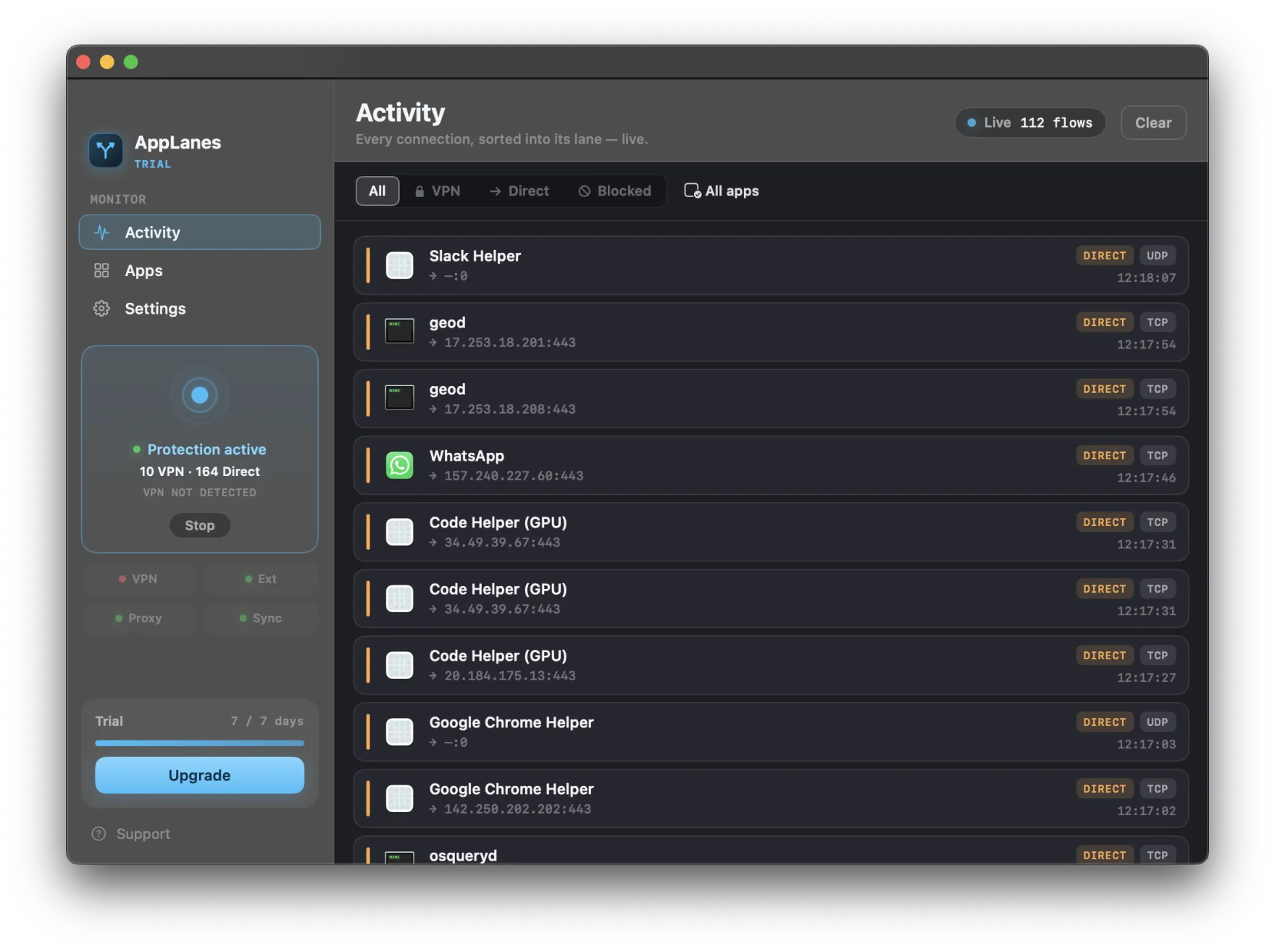
Because decisions happen per connection with the app's identity attached, helper processes follow their parent app's rule automatically, rules apply to new connections instantly, and the live activity view can show every connection with its verdict. AppLanes is not a VPN and carries no traffic to any server — it works alongside whichever VPN you already trust.
Want the deeper technical story? How per-app VPN routing works on macOS explains the Network Extension model, or start with the complete guide to split tunneling on Mac.
Everything a router should feel like
Precision controls wrapped in a native Mac experience.
A lane for every app
Send each app through your VPN, straight to the internet, or nowhere at all. One click per app — changes apply instantly.
Works with any VPN
AppLanes is not a VPN. It routes around or through whichever VPN you already use — WireGuard, OpenVPN, or your provider’s app.
Leak protection
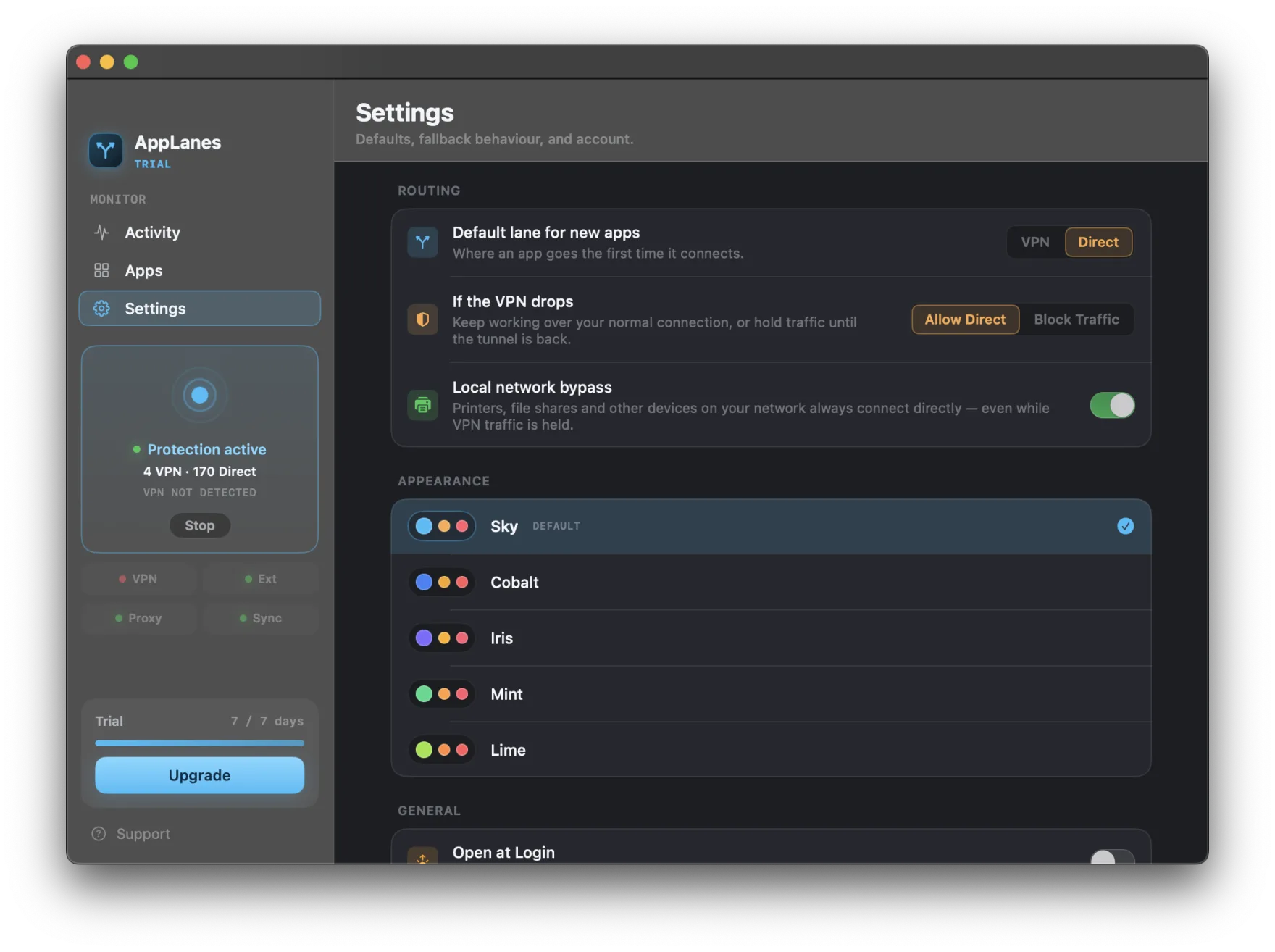
If the VPN drops, choose what happens: keep working over your normal connection, or hold traffic until the tunnel is back.
Live activity monitor
Watch every connection sorted into its lane in real time — app, destination, protocol, and verdict.
Menu bar control
Flip an app between lanes without opening the main window. Status, search, and quick toggles live in your menu bar.
Private by design
Everything runs on your Mac. No account, no telemetry, no traffic leaves for our servers — there are no servers.
Your VPN doesn't do this on a Mac
Split tunneling is a Windows feature for almost every provider.
NordVPN, Surfshark, Proton VPN, Mullvad, CyberGhost, and Windscribe ship split tunneling on Windows and Android — and none of them offer it in their macOS apps. ExpressVPN supports it only on macOS 10.15 and earlier. On the Mac, nearly every VPN is all-or-nothing: connect, and everything tunnels.
AppLanes fills exactly that gap, working alongside the VPN you already pay for instead of replacing it. See what your provider supports and how to add per-app routing next to it:
Built to feel native
A real Mac app — glass sidebar, menu bar companion, and dark by default.
Your traffic never leaves your Mac
AppLanes is a local network extension, not a service. No account, no telemetry, no analytics — the App Store privacy label reads “Data Not Collected”, because there is nothing to collect it with.
Try it free from the App Store
Every feature unlocked for 3 days, free. Then $2.99/month or $19.99/year — billed by Apple, cancel anytime.